
Move files with confidence
Drag files and folders between your PC and Steam Deck, with clear progress and conflict choices for existing files.
Show me howMove files, find game folders, free up space, and protect your saves from one straightforward Windows app—without constantly switching to Desktop Mode.
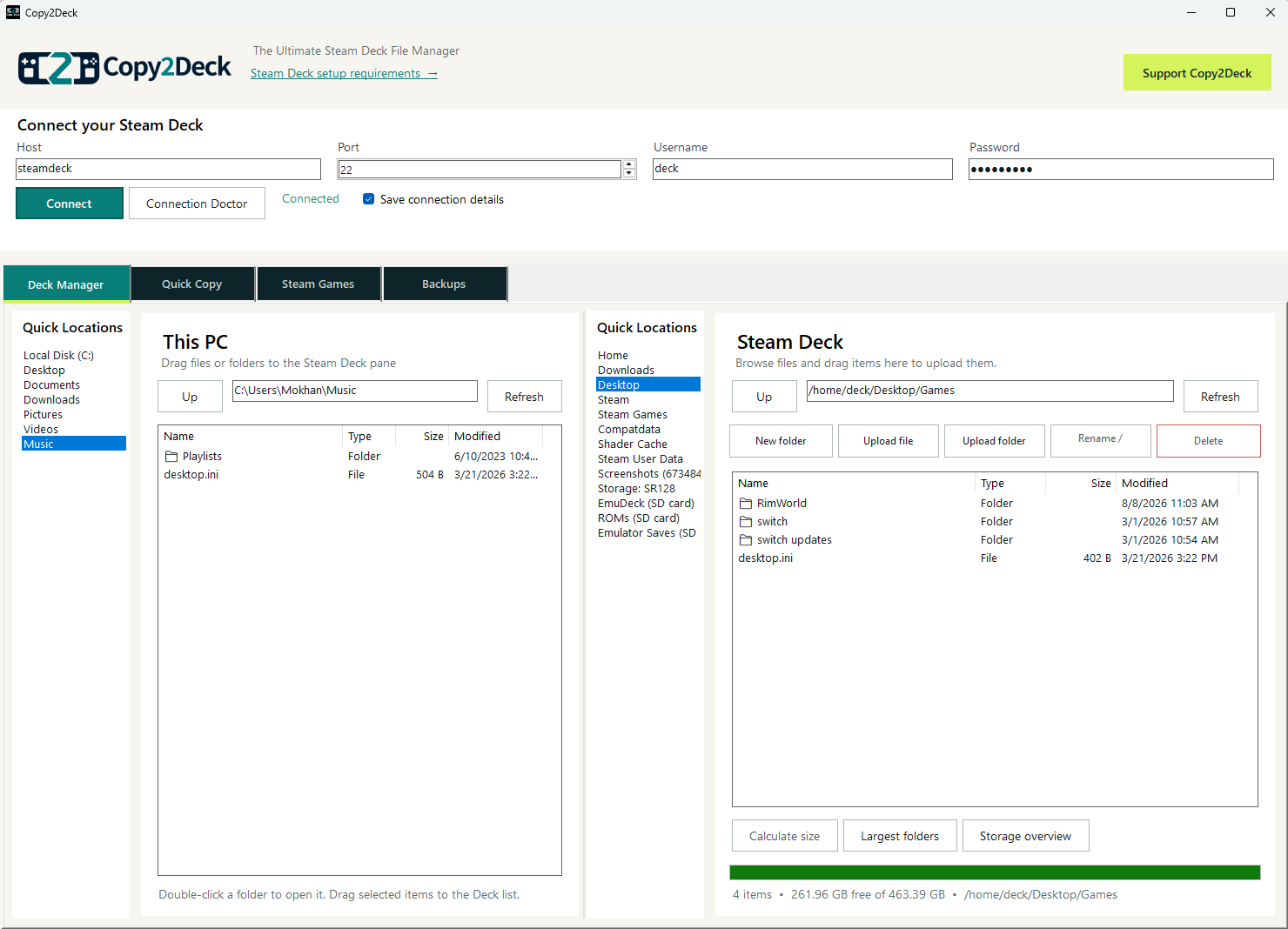
Copy2Deck turns jobs that usually require Desktop Mode or Linux paths into familiar actions on your Windows PC.
Drag files and folders between your PC and Steam Deck, with clear progress and conflict choices for existing files.
Show me howBrowse both devices side by side, tidy folders, and see what is taking up space without memorizing Linux paths.
Show me howChoose an installed game and jump to its files, saves, Proton data, shader cache, or Workshop content.
Show me howKeep dated copies of the folders you care about, then restore an earlier version when you need it.
Show me howSet up your Deck once, connect from your PC, and get back to the things you actually want to do.
Follow the setup guideRun two short commands once in Desktop Mode.
Enter your Deck password and optionally save it securely for next time.
Move files, organize storage, find game data, or protect important folders.
Discover every Non-Steam shortcut automatically, add a Deck file directly to Steam, and remove shortcuts safely without deleting the underlying game files.
Read the complete release notesNo account. No cloud storage. No subscription.